Day 16 Task: Docker for DevOps Engineers.
Docker:
Docker is an open-source platform that automates the deployment, scaling, and management of applications inside software containers. Docker allows developers to package their applications along with all the dependencies into these containers, ensuring consistency across different environments, such as development, testing, and production.
Key components of Docker:
🐳 Docker Engine: The heart of Docker, running containers and handling communication with the host system.
🖼️ Docker Image: A self-contained package with all app code and dependencies, like a software snapshot.
🚀 Docker Container: An instance of a Docker image running in isolation, like a virtual app machine.
🏢 Docker Registry: A cloud storage for Docker images, like a library of software packages.
🔧 Dockerfile: A recipe for creating Docker images, like a blueprint for software assembly.
🧩 Docker Compose: A tool for managing multi-container applications, like orchestrating a container orchestra.
Advantages of using Docker:
🎒 Portability: Containers can be moved and run anywhere, like carrying your app in a backpack.
🚀 Scalability: Easily scale your app by creating multiple containers, like cloning your app on demand.
🔒 Isolation: Containers keep apps safe and separate, like putting them in individual bubbles.
🔄 Versioning: Docker images can be versioned, making it easy to go back or forward in time, like time travel for apps.
💨 Speed: Containers start quickly, reducing app deployment time, like a swift race car for launching apps.
💡 Ecosystem: Docker has a vibrant ecosystem with helpful tools, like a toolbox for all your container needs.
Installation of Docker:
sudo apt-get update
sudo apt-get install docker.io
sudo systemctl start docker
sudo systemctl enable docker
docker --version
Tasks:
Exploring docker commands:
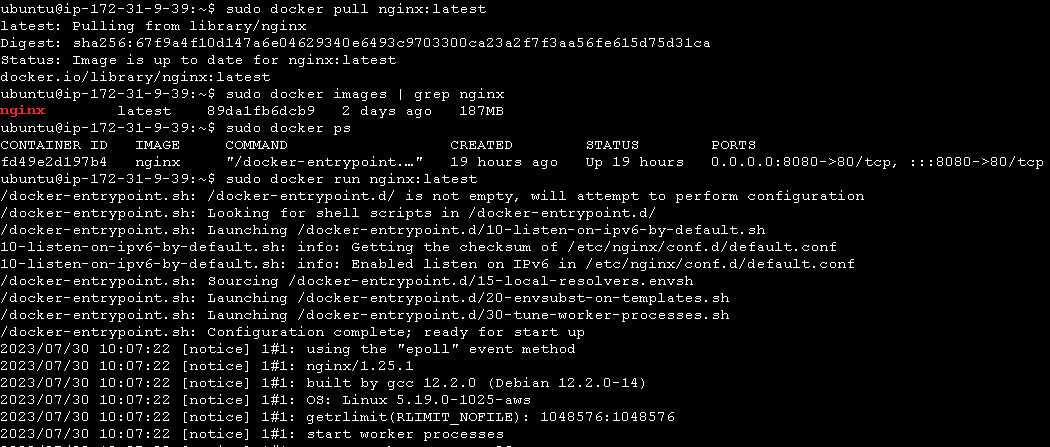
1. Use the docker run command to start a new container and interact with it through the command line.

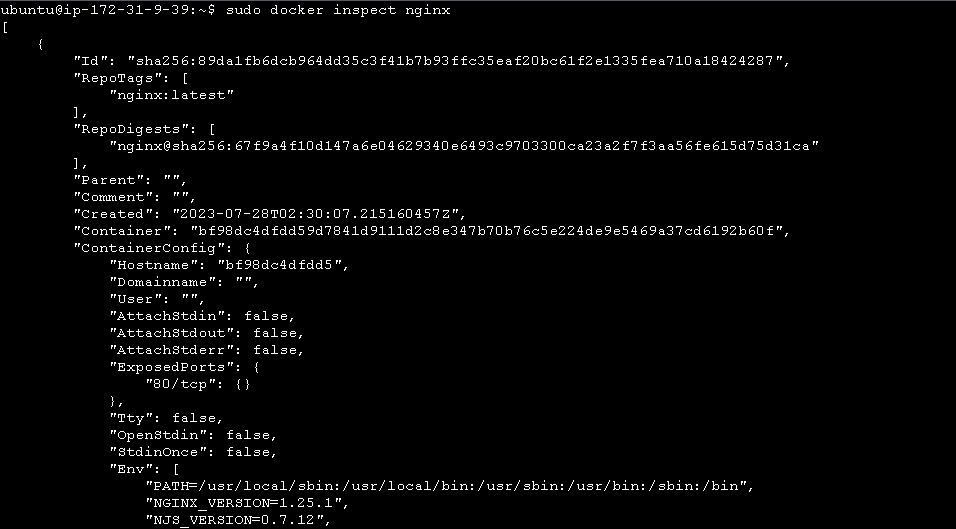
2: Use the docker inspect command to view detailed information about a container or image.
3: Use the docker port command to list the port mappings for a container.

4: Use the docker stats command to view resource usage statistics for one or more containers.

5: Use the docker top command to view the processes running inside a container.

6: Use the docker save command to save an image to a tar archive.

7: Use the docker load command to load an image from a tar archive.



