Day 19 Task: Docker for DevOps Engineers
Docker-Volume:
Docker volumes are like special folders 📁 that allow containers to store and share data.
They solve the problem of data loss when containers are stopped or removed 🚫🗑️.
🆚 Why are they needed?
Containers are like magic boxes 🪄 that disappear when closed 🚪.
So, any data saved inside them is gone forever when the container is shut down.
💾 Types of Docker Volumes:
Named Volumes 📛:
These are managed by Docker 🐳.
Have easy-to-remember names 🏷️.
Data stays safe even if containers using them are removed.
Bind Mounts 🔄:
These are folders from your computer 🏠.
You choose where to link them 🗂️.
Changes are visible both inside the container and on your computer 🔄.
🔧 How to Use Docker Volumes:
Create a Named Volume 📝:
- Command:
docker volume create my_volume
- Command:
Benefits of Docker Volumes:
Data Persistence 📝:
Volumes ensure that data inside containers is not lost when containers are stopped or removed.
Data stored in volumes remains available even if the container is restarted or replaced.
Data Sharing 🔄:
Volumes enable easy data sharing between containers.
Multiple containers can use the same volume to access and modify shared data.
Isolation 🚧:
Volumes keep data separate from the container's file system.
This isolation prevents accidental data corruption or interference between containers.
Backup and Restore 💾:
Docker volumes make it simple to back up and restore data.
You can easily create snapshots of volumes, facilitating data recovery.
Docker Network:
Docker networks are a way to enable communication and connectivity between Docker containers. When containers need to interact with each other, or with the outside world, they can do so using Docker networks. These networks act as virtual "lanes" that allow containers to communicate securely and efficiently.
Container Isolation: Containers are isolated by default, and without a network, they cannot communicate with each other.
Microservices Architecture: In modern application design, applications are often split into microservices, and these services need to communicate with each other over the network.
External Connectivity: Containers often need to connect to the internet or other external services, and networks provide a secure and controlled connection.
Task-1
- Create a multi-container docker-compose file which will bring UP and bring DOWN containers in a single shot ( Example - Create application and database container )

We have to modify the docker-compose file:
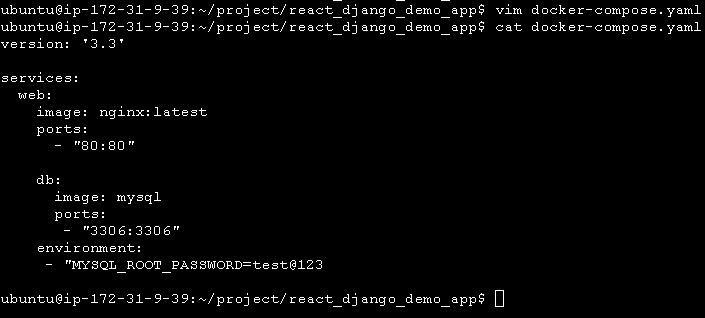
Use the docker-compose up command with the -d flag to start a multi-container application in detached mode.

Use the docker-compose scale command to increase or decrease the number of replicas for a specific service. You can also add replicas in the deployment file for auto-scaling.
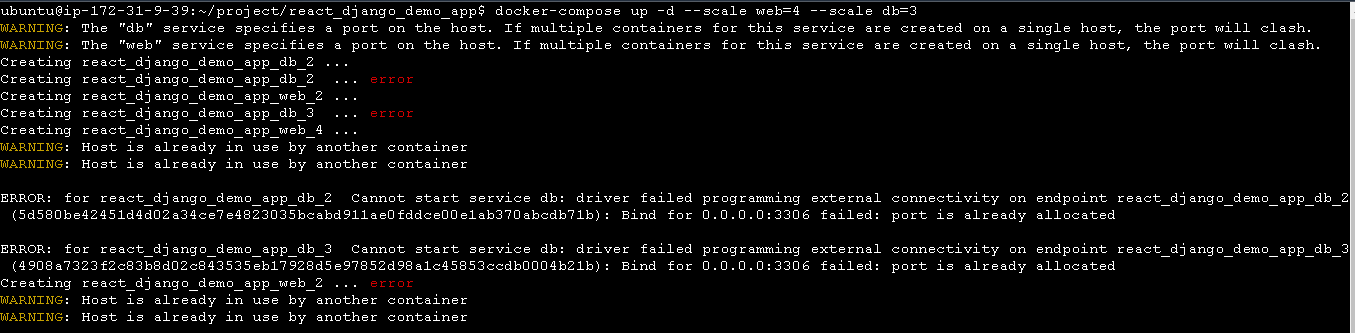

Use the docker-compose ps command to view the status of all containers, and docker-compose logs to view the logs of a specific service.
docker-compose logs
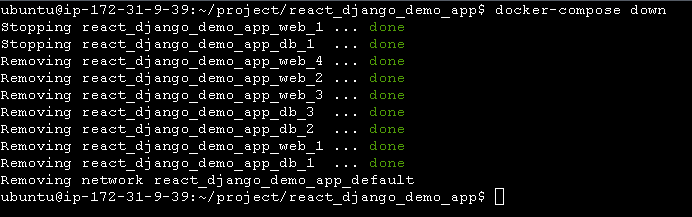
Use the docker-compose down command to stop and remove all containers, networks, and volumes associated with the application:
Task-2:
Learn how to use Docker Volumes and Named Volumes to share files and directories between multiple containers
First, create a volume.
$docker volume create my-vol

Now we need to create a different container using the same volume:

Verify that the data is the same in all containers by using the docker exec command to run commands inside each container.
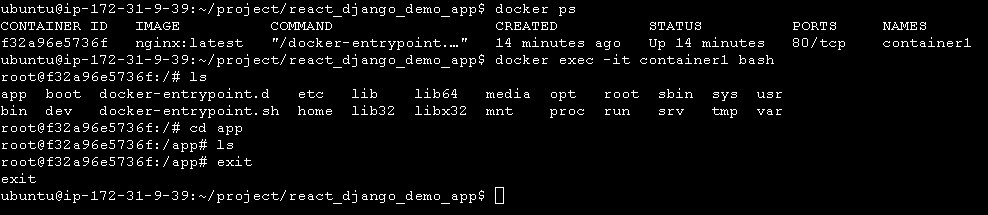
Create two or more containers that read and write data to the same volume using the docker run --mount command.
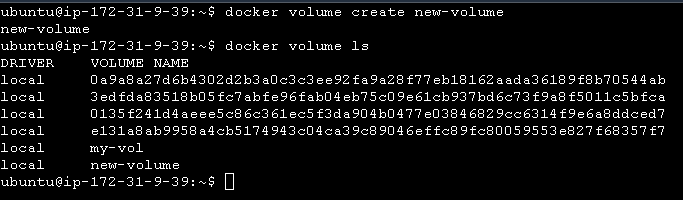
Now we are creating a container using --mount and the same volume:

Now we need to go to the myapp container and need to create a text file and exit:

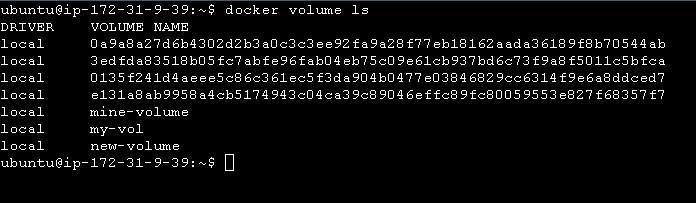
Use the docker volume ls command to list all volumes and the docker volume rm command to remove the volume when you're done.
Thanks for reading.


