Day 23 Task: Jenkins Freestyle Project for DevOps Engineers.

What is CI/CD?
CI/CD (Continuous Integration/Continuous Delivery) is a set of practices for automating and streamlining software development and deployment. It involves the following steps:
🏗️ Continuous Integration (CI):
Developers frequently integrate their code changes 🔄 into a shared repository.
An automated build system 🛠️ compiles the code, runs tests 🧪, and performs validations automatically.
Immediate feedback 🔍 is provided on code quality and integration issues.
🚀 Continuous Delivery (CD):
Successful code changes from CI are deployed automatically to a staging environment 🚧.
The staging environment resembles production 🎯 and undergoes additional testing (e.g., UAT).
Manual or automated approval 📝 is needed to push code to production.
🚀 Continuous Deployment (CD):
- An advanced extension of CD where successful code changes are automatically deployed to production without manual intervention 🔄.
What Is a Build Job?
A Build Job is a task in a CI/CD system, like Jenkins, that automates the process of compiling source code, resolving dependencies, and generating artifacts. It ensures a reliable and reproducible build of the software, allowing frequent integration of code changes. The job produces artifacts, such as executables, libraries, or documentation, which are used in subsequent stages of the CI/CD pipeline.
What is Freestyle Projects ?
Freestyle Projects in Jenkins refer to a type of project or job that allows users to create and configure custom build and automation workflows using a flexible, user-friendly interface. It is one of the most common project types in Jenkins and is suitable for various types of software projects and automation tasks.
Task-01
Create a new Jenkins freestyle project for your app.
Log in to Jenkins and navigate to the main dashboard.
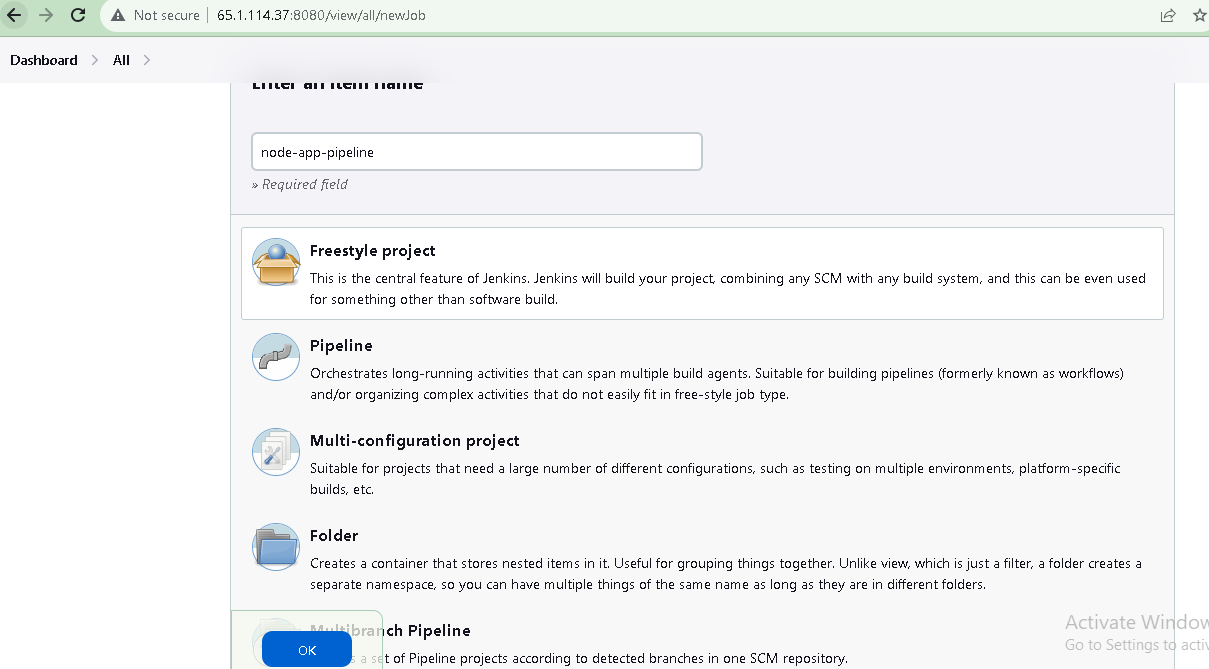
Click on the "New Item" button to create a new project.
3. Select "Freestyle project" and give the project a name.
4. Click on the "OK" button to create the project.
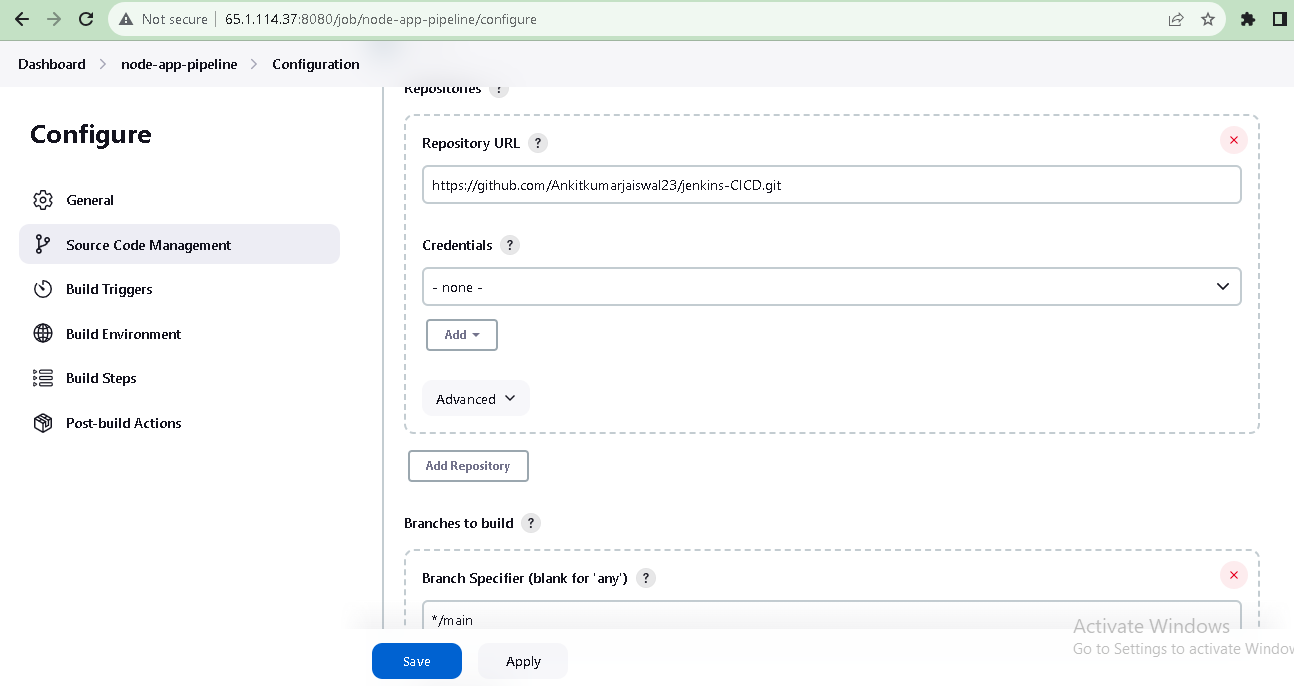
In the project configuration page, you can specify the details of the project, such as the source code management system, build triggers, and build actions. In GitHub project write your GitHub project repository URL.
Note-
Ensure that Docker is installed on the Jenkins server. Docker is required for the docker command to work.
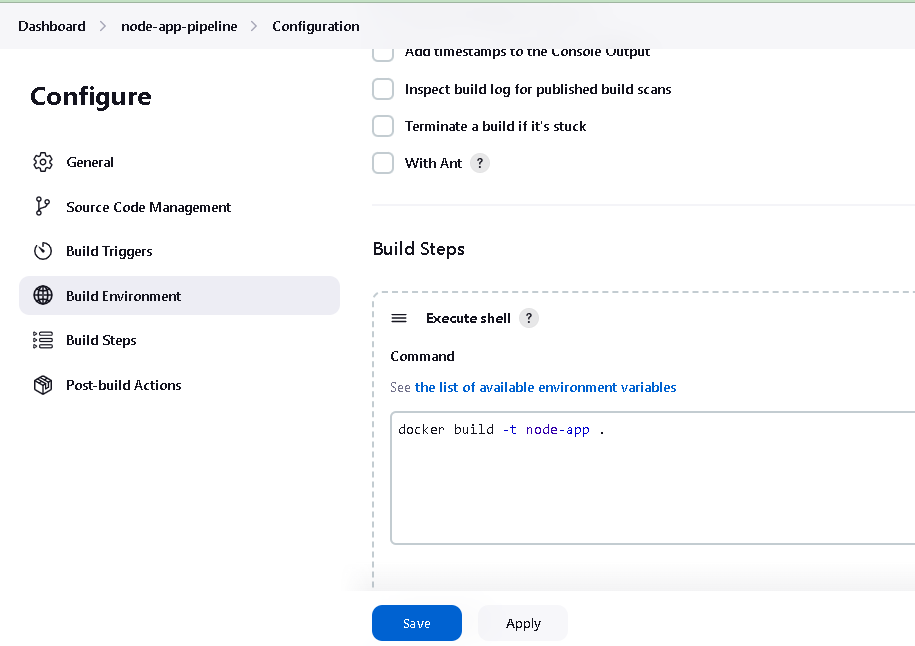
In the "Build" section of the project, add a build step to run the "docker build" command to build the image for the container.
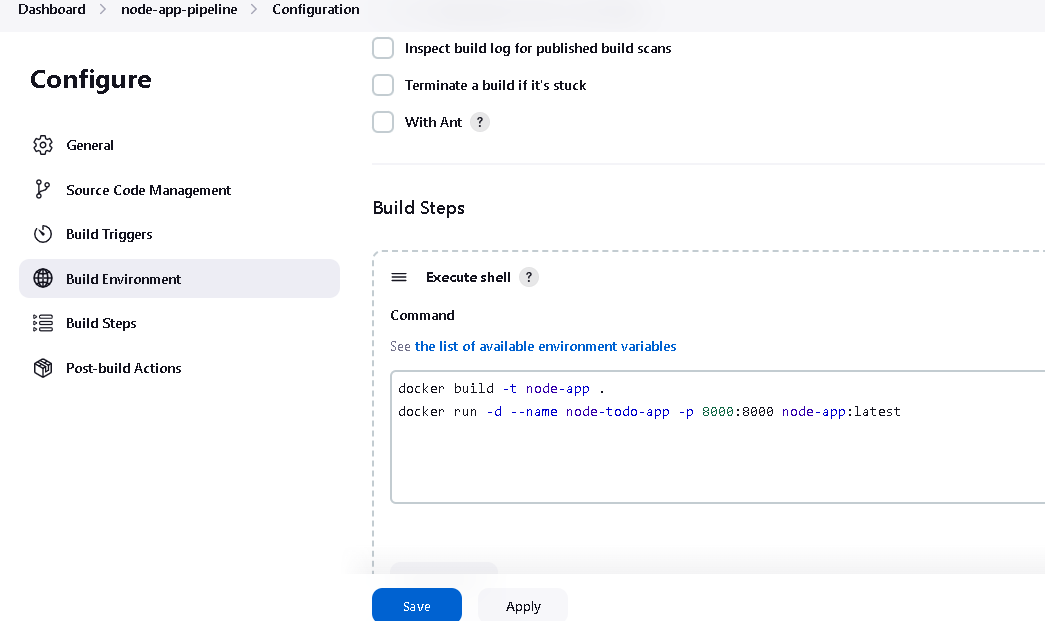
Add a second step to run the "docker run" command to start a container using the image created in step 3.
Click on the "Save" button to save the project configuration.
Build the project: You can manually build the project by clicking on the "Build Now" link in the project's main page. This will start the build process and execute the steps specified in the project configuration.
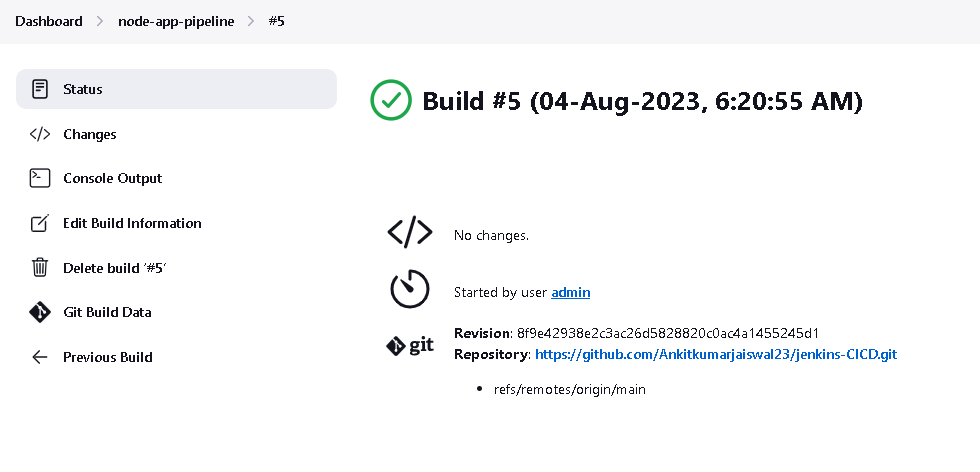
After a build is completed, you can view the console output by clicking on the "Console Output" link in the build page. This will show the output of the commands that were executed during the build.
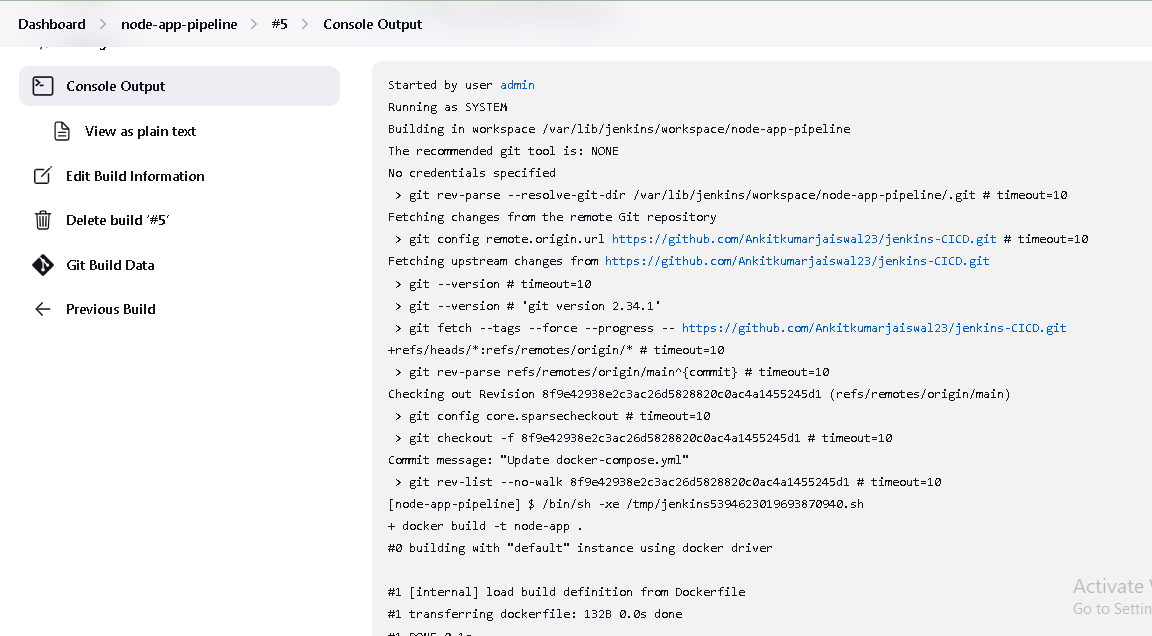
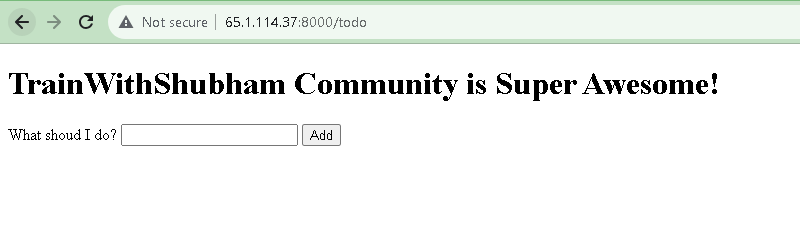
You can see image and container is created. also project from GitHub deploy to ubuntu EC2 instance at location /var/lib/jenkins/workspace/jenkins-project-name.
Task-02
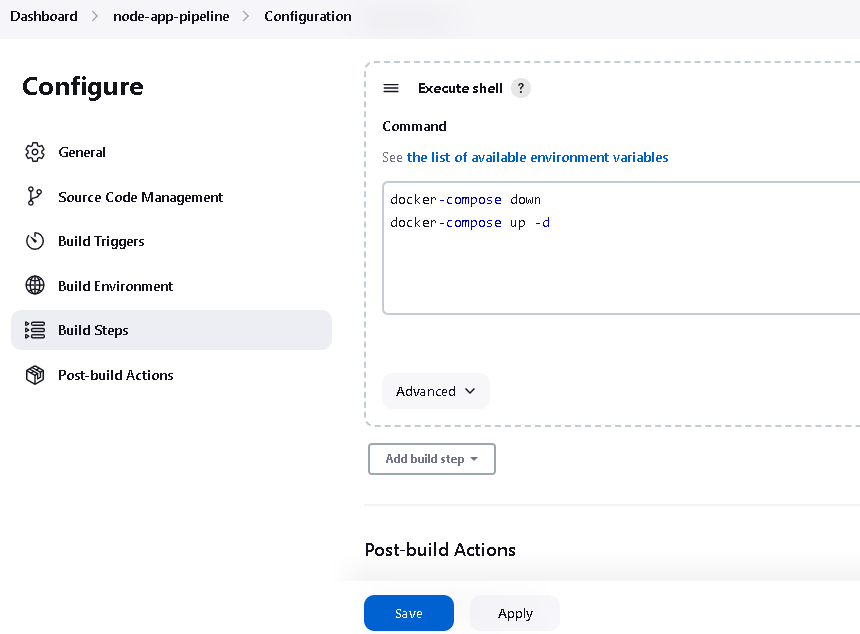
Create Jenkins project to run "docker-compose up -d" command to start the multiple containers defined in the compose file
Set up a cleanup step in the Jenkins project to run "docker-compose down" command to stop and remove the containers defined in the compose file.
1.Create docker-compose.yml file inside your project
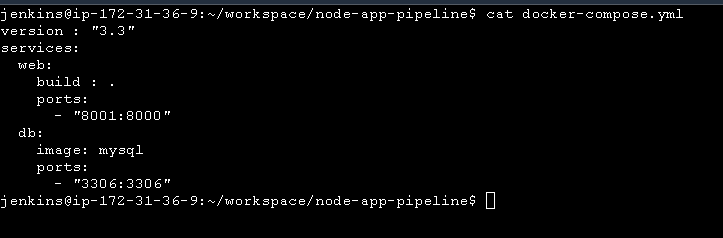
2. In the "Build" section of the project, add a build step "docker-compose down" command to stop and remove the containers defined in the compose file. then add "docker-compose up -d" command.
Note-
Install Docker Compose: Docker Compose is a separate tool from Docker and needs to be installed separately. To install Docker Compose on the Jenkins server.
bashCopy codesudo curl -L "https://github.com/docker/compose/releases/download/1.29.2/docker-compose-$(uname -s)-$(uname -m)" -o /usr/local/bin/docker-compose
sudo chmod +x /usr/local/bin/docker-compose
3. Build the project.
4. After a build is completed, you can view the console output.
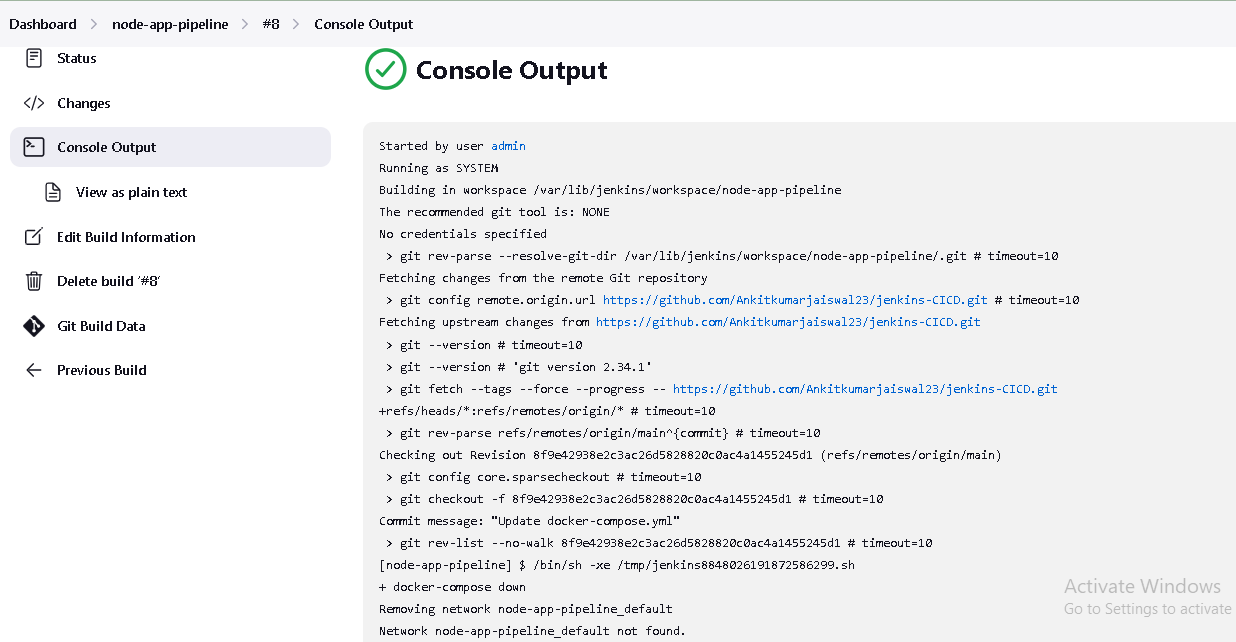
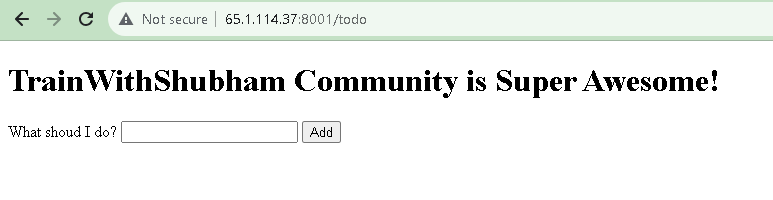
5. You can see container is created.

browse your-ip:8001
Thanks for reading.


